Showing posts with label freebies. Show all posts

Wednesday, April 1, 2015

April: Raining Cats and Dogs Display

It's raining cats and dogs at the library! Our new April display showcases books with either cats or dogs on the cover. For the decor I use the Silhouette Cameo to cut out umbrellas and raindrops, for the raindrops I used blue glitter paper.

At the very bottom of the display I added a puddle (waves) in blue glitter and then some upside down umbrellas.


Here are all the files, you can use them with the Silhouette Cameo, just use the trace feature.


Saturday, January 10, 2015

January: If you liked this you wont be able to LEGO of these books! Display

For our first three displays of the new year, I decided to make all "if you liked this, you'll love this" displays. I used three different themes to ultimately get across the same idea. Our Lego display is the first of the three.


When choosing the books for the display I found seven of our most popular books. I then used Pinterest and Google to find 4 similar books for each of the seven popular books. I found an awesome Lego font online and then lego vector images of the alphabet. Using these two items I made signs for each shelf of the display:


Using our Silhouette Cameo machine I drew several "legos" and then cut them out to create a border for the display: here are the pngs to be used to create cut files:


That's it!

Thursday, September 11, 2014

September: Facebook Display

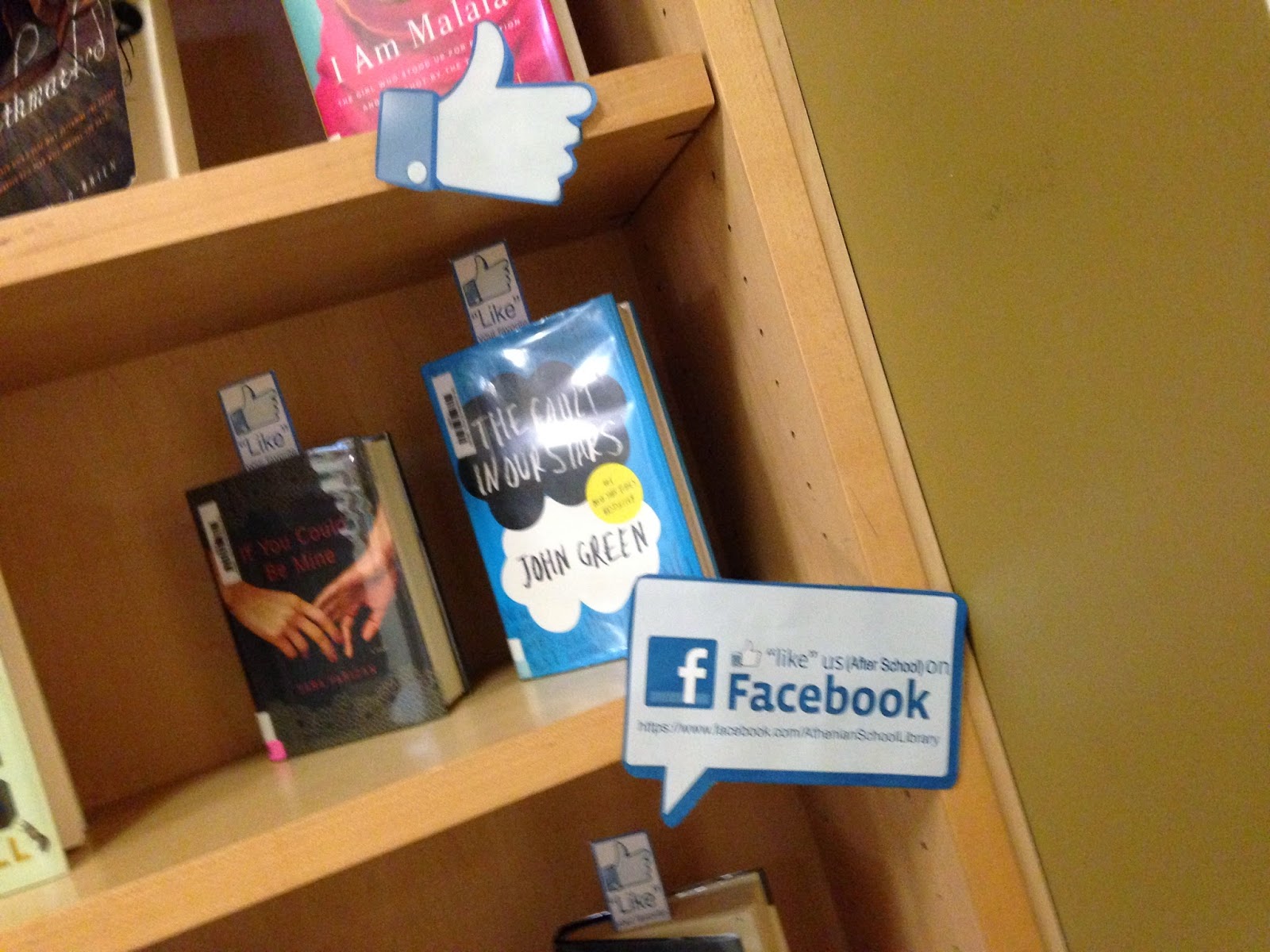
It is the start of a new school year and new displays! I found an awesome interactive Facebook themed display on pinterest from The Punny Librarian and since the Library has a dedicated Facebook page I thought this was a great idea to begin the new school year.


Students were encouraged to "Like" their favorite books by taking a "Like" bookmark, provided on the display, and placing it in their favorite books on the shelves in the stacks. In the top left corner of the display I put a sign explaining the interactive aspect of the display. My sign is only about 8", which is all the room I had, in the Punny Librarian's Display she created a very large sign, which would have been great if I had the space.

I then made several signs using Facebook logos and icons that I found on google and placed them all over the display.
I created the bookmarks by putting the "like" thumbs up on the top of the bookmark and then the word "Like" below it. Below that I told the students to like our Facebook page and provided the link. To hold the bookmarks I made a small sign and folded in the sides and base and taped it to the display:


Thursday, June 19, 2014

June: Books Into Movies Display

Book Into Movies Display! There are several YA books being turned into movies this year. This is a perfect opportunity to gain student interest. The last two years we have made a books into movies display that features all recently released as well as upcoming movies. Playing off of the popular "Call Me Maybe" song I created signage for the display, the keywords I made pink and the rest I left black. I also backed each word with a colored piece of construction paper:


To entice the students even further I created a QR code that links to the movies trailer. Each book, that has a trailer available, showcases a QR code on the front cover. Here are some of the codes (you may want to check to see the links are still active):


I then created signs to display on the shelves. The first sign just told gave the display title along with some movie posters:
The second sign gave the title and explained about the QR codes:
The third sign I made smaller 5" x 7" and it was just a common saying that I am constantly saying/hearing:
On the lower shelves of the display I put books that were being turned into movies, yet their trailers were not released yet. I called these "coming soon":
I also added stars to the coming soon books with their projected movie release date:
The display is a lot of fun, please feel free to use any of the signage/ QR codes.

Sunday, May 18, 2014

May: Student Recommended and Favorite Books

Back in April, during National Library Week, we had students write down their favorite books and also recommend books the library did not already own. Every May we then create a display (or displays) that feature all of these books.

To begin we took the lists of books students had recommended and listed as favorites. You might remember the sheets I created for National Library Week:

I then searched our catalog for all the books. If we had them I added those books to a resource list. The books we did not already own I added to a wishlist on Amazon. After I checked that the books were appropriate I ordered them and our wonderful parent volunteers cataloged the books once they came in.

The second step was to type up labels for each book that was recommended. The labels have the name of the student who recommended the book along with a sentence "This book was suggested by.....". I then printed up all the labels and stuck them on light green post-it notes that I trimmed down (not really necessary but easier to remove from the books once the display comes down).

One of our Library Student Assistants came up with the decor idea. She suggested silhouettes that had quote bubbles that gave the illusion that the silhouettes were speaking. In the quote bubbles would be sayings like "I recommended TITLE OF BOOK" or "TITLE is my favorite book." This was such a great suggestion. I did a google search and found several different silhouettes that I brought into Photoshop and sized to approx 6.5". I then printed out all the silhouettes and we cut them out. I made sure to make an even amount of male vs female silhouettes. I then created some quote bubbles in Photoshop and using the lists I had of student recommended books I typed up the different sayings (being sure to pick an even number of boys and girls). I then printed out the bubbles and wrote either a G or a B on the back of each so I could match the right gender with the right gender silhouette.Here are some blank quote bubbles you can add your own text to.
Once it was time to put up the display I put two silhouettes on each shelf and added the quote bubbles. For the top of the display I made two large quote bubbles that said "Student Recommended" in one and "& Favorite Books" in the other.

That's all there is to it!

Wednesday, April 23, 2014

April: Earth Day Display

April 22nd was Earth Day and the library created two displays to highlight the libraries "Earth Day" inspired books.


The display was really quick to put together. After the last week celebrating National Library Week and all the events we held, there was not much time to put together a huge display. I created two signs for the displays, one for each book case. They are really simple:


I then cut out some clouds, butterflies and snails and decorated the bookcase with them:
That's all there was to it, please feel free to use the signs or template.


Monday, April 14, 2014

April: Quotes, Quotes, Quotes Display

You may have seen the article on Buzzfeed featuring "28 of the Most Beautiful Libraries in the World" along with a quote about libraries on each image. I first saw this article on Facebook and I shared it on our library facebook page. A few weeks later it came to my attention again from our Library Director. The middle school librarian suggested we turn it into a display, such a great idea. I went ahead and created the following display with it as my inspiration.
I started by creating a resource list of every book the library had by the authors who's quotes were featured in the article. We only had about 22 of the 28 (although Mark Twain is repeated). I then found books in our collection on quotes and added these. Our library parent volunteer is so helpful when it comes to displays, she pulled all the books from the list and found more books that fit the overall theme of the display.

I then typed up all the quotes from the article that we had matches of books by author for. This was tedious, but necessary for what I had in mind for the display. (I am sure I could have searched for the quotes and then copy and pasted them, but hindsight....) I created quote bubbles in Photoshop and made them different colors. I put one quote in each bubble:


 I also typed up some of the quotes by "anonymous" to use as extra decor. I then printed out blank quote bubbles to place around the edge of the display. Out goal was to get students to write their favorite quote about libraries in the blank quote bubbles. I wrote in a few of the bubbles directions for the students to write their own quote:
A volunteer and I cut out all the quotes and quote bubbles. She then taped the matching quote to the corresponding book by the author. We taped all the blank quote bubbles and the ones with the directions around the edges of the display. We taped the three anonymous quotes around the edges as well. I then wrote a quote in one of the bubbles and so did our parent volunteer (To show the students what we meant).

For signage I created one that told the students about the display and asked them to write a quote, it also had a QR code that links to the article we were inspired by.
To advertise our display I made a second image for use on our website and facebook page:
Please feel free to use any of the signage. I hope this inspires you to view the article and create a display!